
Advanced Settings
AI Features /Advanced AI (Provider Mode) /Advanced SettingsFine-tune AI behavior with provider-specific model controls and routing.
When you want tighter control over how each provider generates text, how Corkulous routes between providers, or how long requests can run, Provider Mode offers per-provider tuning and global routing controls. These controls are optional — the defaults work well for most use cases.
Where Advanced Settings Live
Advanced settings are split across three places in Provider Mode:
- Providers tab — Media-capable provider cards include a nested Defaults section for saved image, audio, music, or video defaults, plus an Advanced section for model tuning.
- Workers tab — Controls multi-agent intensity, parallelism, and worker timeout for larger board-generation runs. See Workers and Orchestration.
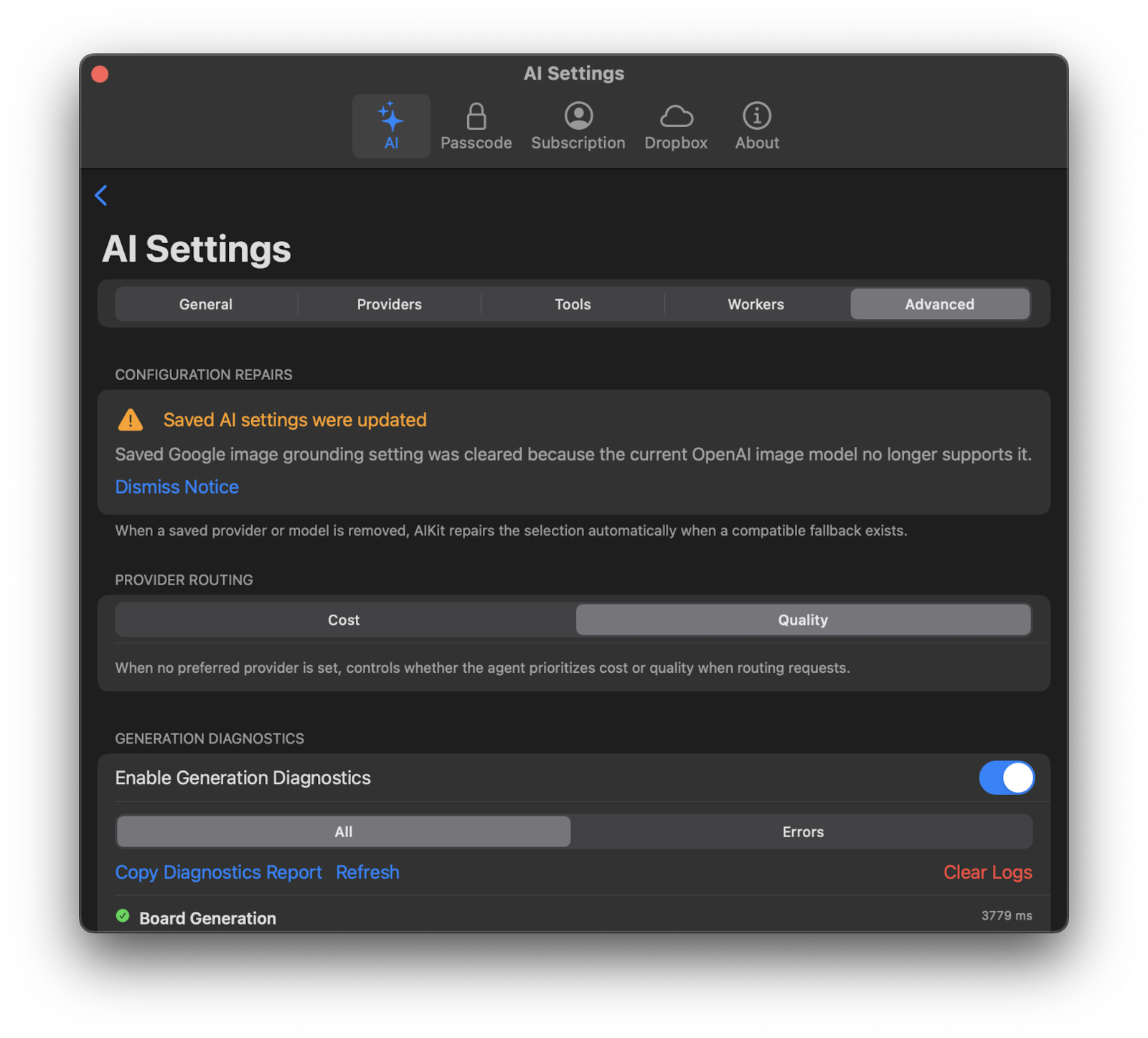
- Advanced tab — Global routing and diagnostic settings.
Model Tuning
Adjust these parameters to change how a specific provider generates text. They no longer apply globally across every provider — each is configured per provider in that provider’s Advanced section.
Temperature
Controls how creative or focused the AI’s responses are.
- Lower values: more focused, deterministic responses. Good for factual content or structured boards.
- Higher values: more creative, varied responses. Good for brainstorming or exploratory boards.
Some providers and models restrict when temperature can be used. Corkulous disables the control when the current provider/model combination does not allow it.
Top P
Controls the diversity of word choices (also called “nucleus sampling”).
- Lower values: limit AI to the most likely words, making output more predictable.
- A value of
1.0: considers the full probability mass supported by the provider.
Tip: In most cases, adjust either Temperature or Top P, not both.
Model Compatibility
Reasoning and sampling controls vary by model. Some OpenAI models restrict temperature and top-p when reasoning is enabled. Corkulous uses supported model metadata to enable the compatible controls; changing models can change which options are available.
Max Output Tokens
Sets the maximum length of AI responses.
- Lower values: shorter responses, and may reduce cost
- Higher values: longer, more detailed responses when the model supports them
The exact limits depend on the provider and model. Corkulous only enables controls that are supported by the selected model.
Reasoning Effort
Controls how much “thinking” the AI does before responding. Available for models that support extended reasoning. The available options depend on the selected provider and model, and Corkulous automatically updates the choices when you switch models.
Typical choices are:
| Level | Behavior |
|---|---|
| None | Fastest response and widest tuning compatibility |
| Low | Faster responses, less deliberation |
| Medium | Balanced speed and thoughtfulness |
| High | More thorough reasoning, slower responses |
| XHigh and other extended levels | Additional reasoning effort where the selected model supports it |
Provider Routing
When you have multiple providers configured, provider routing controls how Corkulous chooses between them.
Routing Strategy
- Quality First — Prefers the most capable model available, regardless of cost. Best when output quality matters most.
- Cost First — Prefers the most cost-effective model. Best when you want to minimize API costs.
Routing applies when Corkulous needs to select a provider automatically, such as for fallback or when no specific preference is set.
Timeouts
Each provider has its own timeout control inside that provider’s Advanced section. Increase it if you generate large boards, attach long documents, or use slower models. Lower it if you prefer faster failure when a provider is unresponsive.
