
Tools Configuration
AI Features /Advanced AI (Provider Mode) /Tools ConfigurationConfigure AI tools including web search, music, HTTP fetch, bash execution, and tool cache.
Tools extend what AI can do beyond basic text generation — web search, music generation, page fetching, and more. On Mac, the Tools tab in AI Settings controls which tools AI can use during board generation and Agent requests.
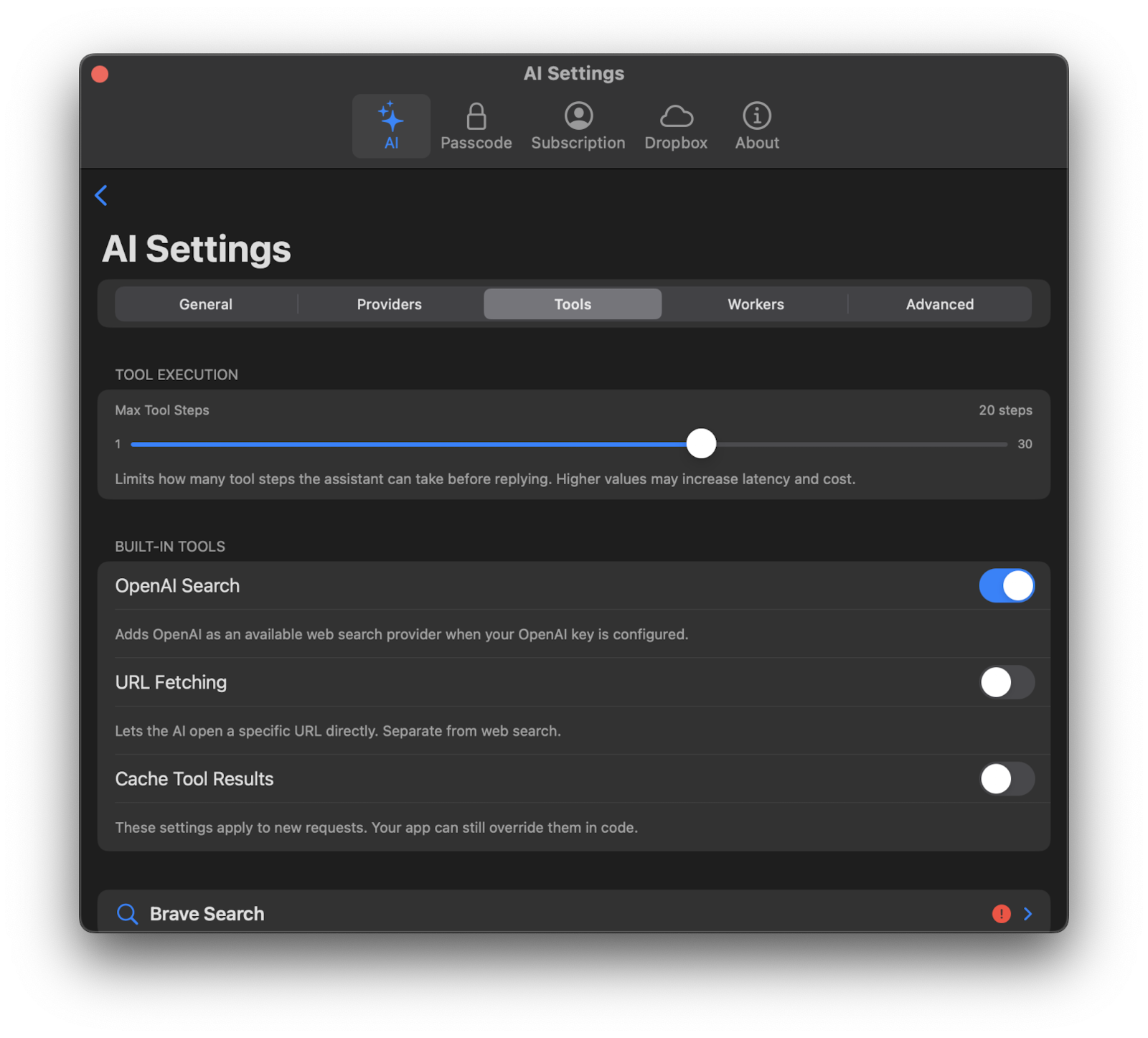
Tool Execution
Max Tool Iterations
Controls how many tool-use steps AI can perform in a single request. Each iteration lets AI call a tool (like searching the web or fetching a page) and process the result.
- Default: 10 iterations
- Range: 1 to 30 iterations
- Lower values: complete faster but may not fully research complex topics
- Higher values: allow more thorough research but take longer
Adjust this with the Max Tool Iterations slider in the Tools tab.
Runtime Options
These toggles control which tools AI has access to during generation.
OpenAI Web Search
When enabled, AI can use OpenAI’s web search to find current information. This works alongside or instead of Brave Search, Firecrawl, and Perplexity.
HTTP Fetch
When enabled, AI can retrieve content from specific URLs — useful for reading web pages, documentation, or other online resources that AI wants to reference.
Bash Tool (macOS Only)
When enabled on macOS, AI can execute sandboxed shell commands. This is an advanced feature for power users.
Music Tool
When enabled, the Agent and AI board generation can call the music generation tool.
In Provider Mode, this tool only appears when ElevenLabs is configured as your effective music provider/model.
If the music tool is called without explicit duration or output-format arguments, Corkulous uses the saved defaults from the active provider card.
Tool Cache
When enabled, results from search and fetch tools are cached to avoid repeated lookups for the same query. This speeds up generation and reduces API usage.
- Enable Tool Cache: Toggle caching on or off.
- Cache TTL: How long cached results are kept, from 30 seconds to 15 minutes. Default is 5 minutes.
Third-Party API Keys
The Tools tab is also where you configure API keys for third-party search services:
| Service | What It Does | Get a Key |
|---|---|---|
| Brave Search | Web and image search | brave.com/search/api |
| Firecrawl | Reads full web page content as clean text, useful for detailed research | firecrawl.dev |
| Perplexity | Perplexity Sonar AI-powered search that returns summarized answers with citations | perplexity.ai/settings/api |
For each service, enter your API key in its section, tap Test to verify the key works, and use the Enabled toggle to turn the service on or off at any time.
ElevenLabs in Provider Mode
ElevenLabs powers Provider Mode music generation and can also provide premium text-to-speech voices with more variety than OpenAI’s built-in voices.
- Get your key at elevenlabs.io
- Add your ElevenLabs API key in the ElevenLabs provider card in the Providers tab
- Choose the voice, speech model, music model, and saved media defaults in that provider card’s Defaults section
- Enable the Music tool toggle here in the Tools tab if you want music through the Agent or board generation
If the ElevenLabs key/model is missing, music is unavailable in Provider Mode. The direct Generate Music with AI action in the audio picker does not require the Music tool toggle, but it still requires ElevenLabs key/model setup.
See Setting Up API Keys for step-by-step instructions on getting API keys from each service.
